
Instruction for Presentations / 大会発表についてのご注意
Instruction for Presentations
大会発表についてのご注意
Oral presenation
1. Computer for oral presentation
Presentation should be given with your own PC connected to switcher next to the podium.
- Make sure to bring any necessary electrical adaptors and connectors for your computer.
- The meeting venue will provide Mini D-sub15 pins and HDMI cables for connecting to PC switchers. Macintosh and certain kinds of Windows computers require an appropriate connector to fit a Mini D-sub15 pin or HDMI plug.
- The electricity runs on 100 volts and 50 hertz in Sendai.
- The screen ratio is 16:9.
2. Presentation registration
Please come to your session room at least 15 minutes prior to your talk, and connect your PC to a PC switcher at the PC registration Desk.
3. Presentation time
Oral Presentation (in English or in Japanese)
12 minutes for presentation and 3 minutes for discussion.
| 1BELL | 10 minutes | 2 minutes to the end of presentation |
| 2BELL | 12 minutes | End of presentation- Start of discussion |
| 3BELL | 15 minutes | End of discussion |
Poster presenation
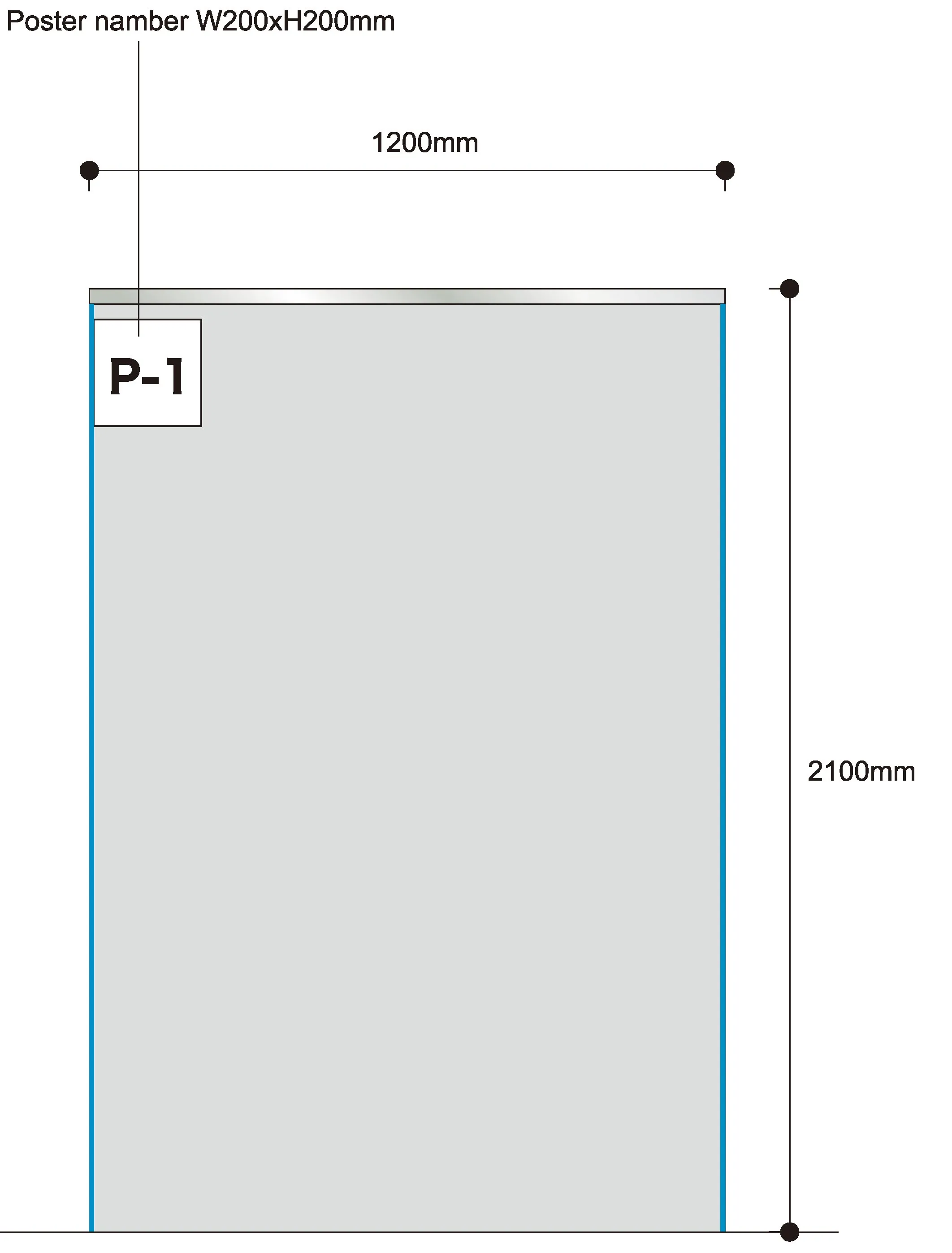
Poster board size: 1200 mm (width) x 2100mm (height)
- Please leave a 200 mm x 200 mm blank space from the top left corner for the organizing committee to indicate your poster number.
- Please stay (or stand) in the vicinity of your poster during your assigned discussion time. Be sure that every poster presenter is assigned to give explanations his/her poster on Day2 and on Day3.
| Mounting: | 9:00-12:00 on Day1 (July 23 (Sun)) |
| July 23 (Sun) Discussion: | 17:30-18:15 for odd number posters 18:15-19:00 for even number posters |
| July 24 (Mon) Discussion: | 14:45-15:30 for even number posters 15:30-16:15 for odd number posters |
| Removal: | 9:00-12:00 on Day3 (July 25 (Tue)) |